ISO 9001:2015 certified industrial automation spare parts supplier

ABB ACS-AP-I 3AUA0000064885 Assistant Control Panel

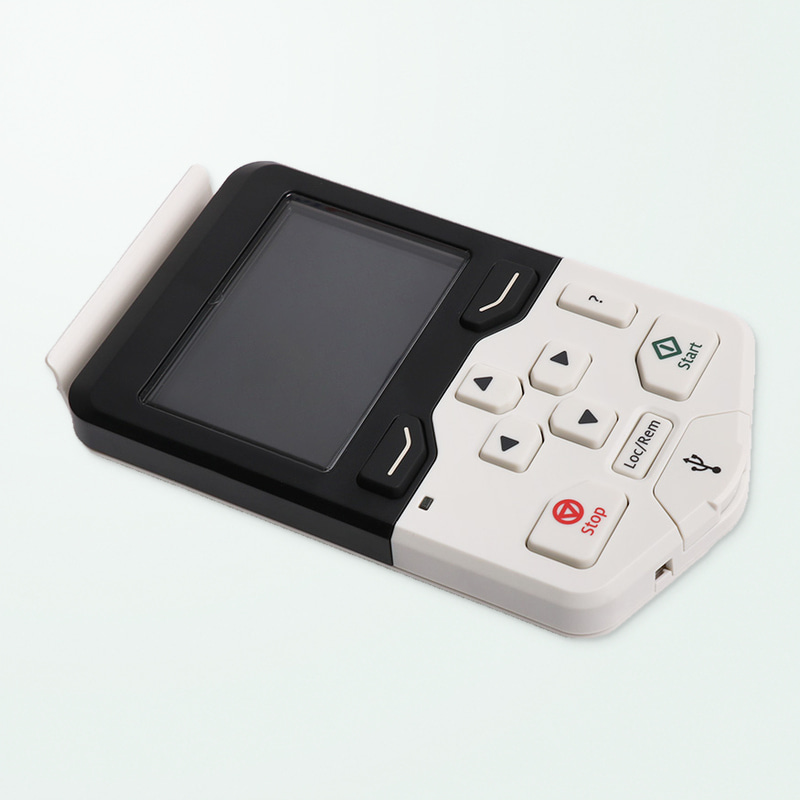
ABB ACS-AP-I 3AUA0000064885 is a wired assistant control panel with a 240 × 160 pixel LCD, drive parameter backup and temporary USB service through Drive Composer.

Version check: Match the drive family, complete panel code and hardware/software revision. Confirm the required mounting kit, cable and supplied accessories.
Download
  • ABB ACS-AP-I 3AUA0000064885 Drive Assistant Control Panel

    Local operation for compatible ABB drives. ABB ACS-AP-I 3AUA0000064885 is the assistant control panel used as the operator and maintenance interface for compatible ABB drives. It presents drive and motor status together with selected operating signals, such as speed, torque or power, and provides access to parameters and drive-specific assistants. Parameter backup and restore functions help preserve an established drive configuration, while the panel's diagnostic views support investigation of faults or warnings. Local start, stop and reference commands remain subject to the drive's selected control location and the functions supported by its firmware.

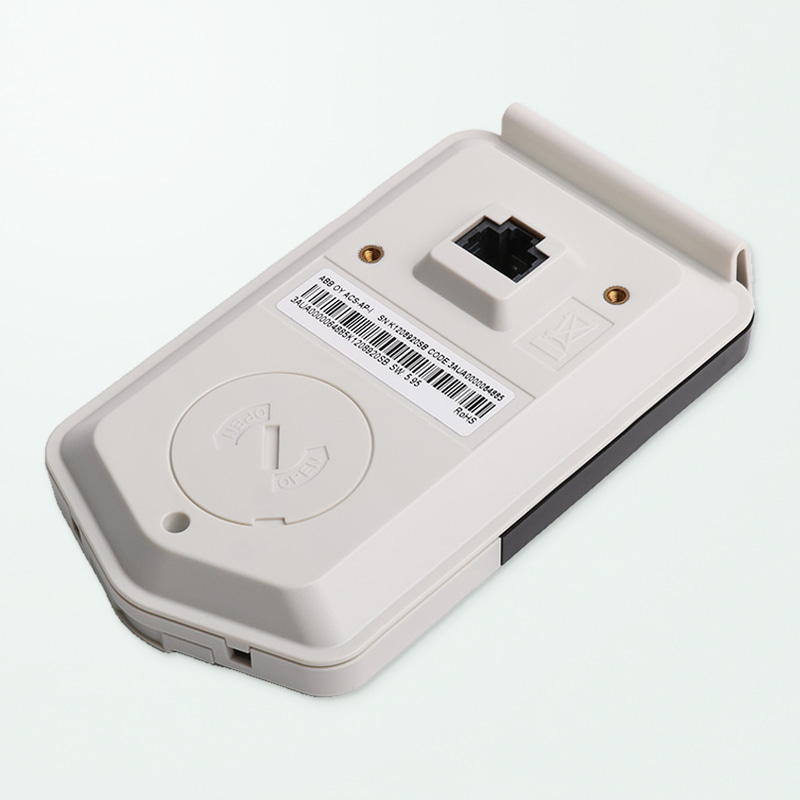
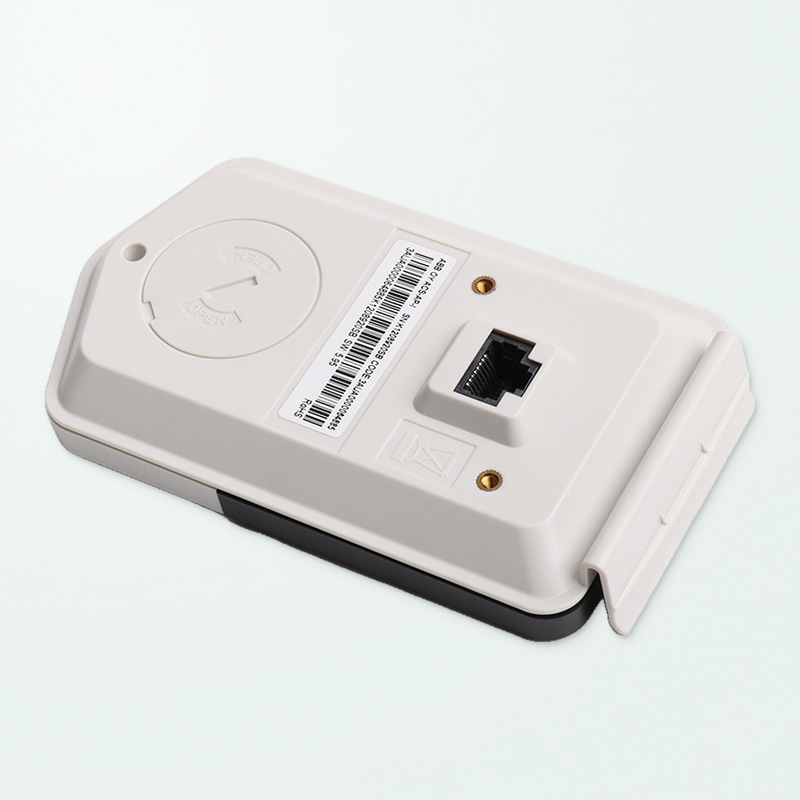
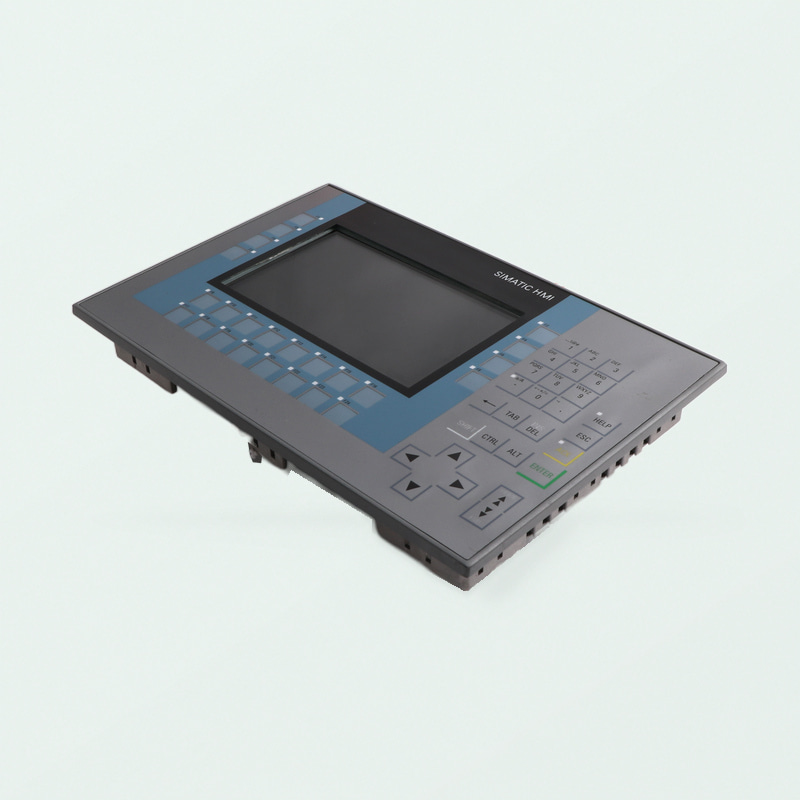
    Display, keys and service connections. The panel combines a monochrome 240 × 160 pixel LCD with adjustable backlight and contrast, softkeys, navigation keys and context-sensitive help. Its rear RJ45 connection carries the drive panel interface, while a Mini-B USB connector supports temporary PC service. A CR2032 battery maintains the real-time clock.

    Technical Specifications

    Parameter Specification

    Product Identity

    Manufacturer / ordering code ABB / ACS-AP-I 3AUA0000064885
    Weight 143 g

    Functional Configuration

    Function Assistant control panel for compatible ABB drives
    Display Monochrome LCD; 240 × 160 pixels
    Display adjustment Backlight and contrast adjustable
    Controls Softkeys, arrows, Help, Start, Stop and Loc/Rem
    Drive connection RJ45 female; RS-485 panel communication and drive-supplied power
    PC service connection Mini-B USB; USB 2.0 / MTP
    Wireless interface No Bluetooth on ACS-AP-I
    USB cable limit Less than 3 m; temporary service
    Panel bus limits Maximum 100 m combined cable length; maximum 32 nodes
    Protection when separate IP20; installed protection depends on drive and mounting kit

    Performance & Power

    Supply from drive 15–24 V DC (±10%)
    Maximum supply current 65 mA at 24 V DC
    Backup capacity Two manual backups and one automatic backup
    Clock battery CR2032

    Environment

    Operating temperature −20 to +55 °C ambient
    Storage / transport temperature −40 to +70 °C
    Humidity Maximum 95%, non-condensing

    Compatibility & Selection Guide

    Match the drive and engineering workflow. The Rev H compatibility table includes ACS580, ACS880 and other listed drive families, subject to their drive manuals and firmware requirements. Drive Composer can communicate with a compatible drive through the panel’s USB connection, and backups or screenshots can be transferred using MTP. Available menus and assistants depend on the connected drive.

    Wiring & Installation Reference

    Reference: ABB assistant control panels manual 3AUA0000085685 Rev H, installation pages 16–17, external connections pages 89–92 and technical data pages 103–106. Follow the connected drive’s own safety and installation instructions.

    Panel and service connections

    Connection Function Important limit
    Rear RJ45 Drive panel communication and power RS-485 interface; not an Ethernet network port
    Mini-B USB PC service and MTP file transfer Cable shorter than 3 m
    Panel bus Connection to multiple supported units Correct drive-specific adapters and termination required
    Mounting clip Direct drive attachment Insert bottom first, then latch the top

    For cabinet-door use, select the appropriate mounting kit and apply its installation instructions. A loose panel and an installed panel do not have the same protection rating.

    For a panel bus, use shielded CAT5e cable, unique node IDs, matching baud rates and the termination arrangement required by the drive manuals. Keep the complete bus within the 100 m and 32-node limits.

    Prepare and start safely

    1. Check applicability

      Match the complete panel code, drive family, panel hardware/software and drive firmware.

    2. Install the panel

      Follow drive-specific safety precautions, engage the lower end and press the upper end until the clip latches.

    3. Confirm control location

      At start-up choose the language and follow the applicable assistant. Confirm local or remote control and the requested reference before operating the drive.

    Control and maintenance limits

    • Switching Local/Remote changes the source of drive commands; review the current remote command before switching.

    • During PC USB service, interaction is through Drive Composer. Exit the PC tool before disconnecting the USB cable.

    • The USB connector is intended for temporary service. Pull the cable straight to avoid connector damage.

    • Use the specified CR2032 battery with correct polarity; software updates and revision compatibility should be checked with ABB.

    Frequently Asked Questions

    Does ACS-AP-I 3AUA0000064885 include Bluetooth?

    No. The wireless-interface sections identify ACS-AP-W, ACS-AP-WP and ACH-AP-W as the Bluetooth models. ACS-AP-I uses its wired drive and USB interfaces; do not apply W-model wireless features to this ordering code.

    Is the RJ45 connector on ACS-AP-I 3AUA0000064885 an Ethernet port?

    No. The panel connector carries RS-485 communication and power from the drive. Its RJ45 shape and use of CAT5e cable do not make it an ordinary Ethernet interface. Use the drive’s specified panel connection.

    Why do the keys on ACS-AP-I 3AUA0000064885 stop responding when connected to a PC?

    The panel displays its USB screen during PC service. In that mode, interaction is through the Drive Composer PC tool. Exit Drive Composer before disconnecting USB so control returns according to the drive’s local or remote state.

    Can ACS-AP-I 3AUA0000064885 transfer settings to a replacement drive?

    The panel can store two manual backups plus one automatic backup. Check that a backup is suitable for the target drive and choose the required restore scope. A stored backup is not evidence that two different drive types or firmware versions are interchangeable.

    Can ACS-AP-I 3AUA0000064885 operate several drives from one panel?

    Yes, compatible units can be connected on a configured panel bus. Observe the 100 m total cable limit and 32-node limit, including the panel or PC. Use the correct adapter for each drive, unique node IDs, matching baud rates and the required termination.

    What happens when Loc/Rem is used on ACS-AP-I 3AUA0000064885?

    The key changes the control location. ABB states that a running drive retains its speed when changing from Remote to Local; changing from Local to Remote adopts the remote location’s state. Check the drive-specific firmware instructions and remote command before switching.

    Can any assistant-panel firmware be installed on ACS-AP-I 3AUA0000064885?

    No. Match software to the panel type and hardware revision. ABB Technical Note 198 lists ACS-AP-I code 3AUA0000064885 in its own software compatibility row; software for another assistant-panel model or revision is not a universal upgrade. Confirm the correct update with ABB.

    How do the two intermittent green LED indications differ on ACS-AP-I 3AUA0000064885?

    Flickering green indicates USB data transfer between the PC and the unit. Flashing green indicates an active warning.

    Manufacturer Documentation

    ACS-AP-I 3AUA0000064885 Product Reference

    Product photograph, exact-model specifications, installation notes and selected ABB manufacturer material.

    PDF · 5 pages · 66.5 KB · Compiled by EWOLO CONTROL. ABB 3AUA0000085685 Rev. H.

    Preview Product Reference (PDF)

    Order & Service Support

    EWOLO CONTROL is an independent supplier of industrial automation spare parts. See About Us for our company background and Company Qualifications for the published ISO 9001:2015 certificate and supplier assessment records.

    01

    Discontinued & Hard-to-Find Parts

    We source DCS, PLC and TSI spares for maintenance and replacement.

    02

    Order & Payment Confirmation

    Pay by bank transfer before dispatch, unless agreed otherwise in writing.

    03

    Pre-Dispatch Verification

    Model, quantity and visible condition are checked against your order.

    04

    Protective Packaging

    Packaging is selected for the product and agreed shipping method.

    05

    Global Shipping & Tracking

    DHL, FedEx, UPS or an agreed carrier. Tracking follows collection.

    06

    Order Documentation

    Commercial invoice and packing list supplied. Agree extra documents before ordering.

    07

    12-Month Warranty

    Eligible items: 12-month return-to-base warranty from dispatch, per quotation.

    08

    After-Sales Support

    Send fault details and photos. Returns need prior written approval.

    REQUEST A QUOTE

    ABB ACS-AP-I 3AUA0000064885

    Include the part number, required quantity and destination in your enquiry. Add the required hardware series or firmware revision, if applicable.

    Request a Quote   →

    Confirm the offered unit's condition, quantity, included accessories and dispatch time in the quotation.

Send your requirement

Fields marked * are required.

No online payment is requested. Final price and terms are supplied in a written quotation.

leave a message

No online payment is requested. Final price and terms are supplied in a written quotation.